How do I cancel a recurring plan?
You can cancel an eligible recurring AIandMe plan from Receipts & Payments.
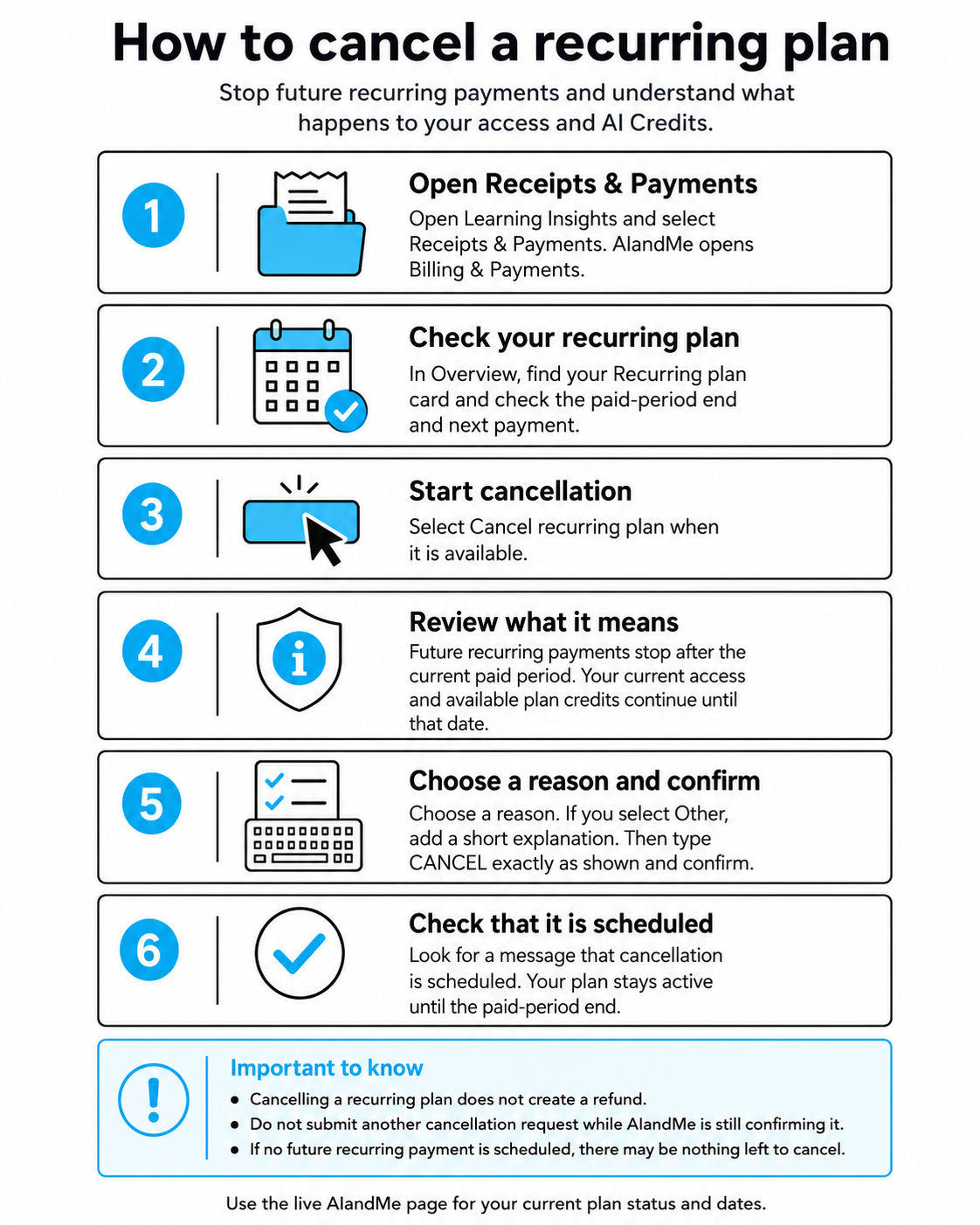
Cancelling stops future recurring payments after your current paid period. Your paid access and available plan credits continue until the end of the period you have already paid for.
-
Open Receipts & Payments
Open Learning Insights and select Receipts & Payments.
AIandMe opens Billing & Payments.
Stay on Overview and find your Recurring plan.
-
Check your recurring plan
Before cancelling, review the recurring-plan information shown on the page.
It can include:
- Payments confirmed;
- Current paid-period expiry;
- Next payment; and
- Paid access.
The Current paid-period expiry is especially important. If you cancel successfully, your current paid access continues until that date.
Use the live page for your current dates and status.
-
Start cancellation
When cancellation is available, select Cancel recurring plan.
If you cannot see this action, check the message shown on your recurring plan.
For example, cancellation may already be scheduled, the plan may already be in its final paid period, or there may be no active recurring payment left to cancel.
-
Review what cancellation means
The confirmation window shows the date when future recurring payments will stop.
Before continuing, make sure you understand:
- future recurring payments stop after the current paid period;
- your current paid access continues until that date;
- available plan credits continue until that date;
- cancelling does not create a refund; and
- once confirmed, this cancellation cannot be undone.
If you decide not to continue, select Keep my plan or close the cancellation window.
-
Choose a reason and confirm
Choose a cancellation reason.
If you select Other, add a short explanation.
Then type:
CANCELexactly as shown. The confirmation is case-sensitive.
When the form is ready, select Confirm cancellation.
-
Check that cancellation is scheduled
After AIandMe accepts the cancellation, the dialog closes and your recurring-plan section updates.
Look for confirmation that:
Cancellation is scheduled
and check the displayed Paid-period end.
Your recurring-plan status can also show:
Ends after current paid period
Your paid access and available plan credits continue until that date.
Do not use disappearance of Next payment as the confirmation. The scheduled cancellation status and paid-period end are the important confirmation.
If cancellation is still being confirmed
AIandMe may tell you that your cancellation request is being processed or is still being confirmed.
If this happens:
- do not submit another cancellation request;
- return to Receipts & Payments later; and
- check the message shown on your recurring plan.
If the page continues to ask you to contact support, follow the support guidance shown there.
What happens to my access and AI Credits?
Cancelling does not immediately end the period you have already paid for.
Your paid access continues until the displayed paid-period end.
Available plan credits for that paid period also continue until that date.
Use the existing AI Credits Help article for your current balance and usage.
Does cancelling give me a refund?
No. Cancelling a recurring plan does not create a refund.
Cancellation stops future recurring payments after your current paid period.
A refund is a separate process governed by the AIandMe Refund Policy.
Can I undo cancellation?
Once you confirm the cancellation, the scheduled cancellation cannot be undone through this flow.
Your current paid access continues until the paid-period end.
If you want AIandMe again after that plan ends, a later purchase is a new purchase rather than an undo of this cancellation.
If this is already your final paid period
AIandMe may show:
This is the final paid period. No additional recurring payment is scheduled.
If no future recurring payment is scheduled, there may be nothing left to cancel.
Use the current message on your recurring-plan card as the source for your account.
Upfront or pay-once plans do not use this recurring cancellation flow.
What happens next
After scheduling cancellation, you can continue using AIandMe until your current paid period ends.
Use:
- Receipts & Payments to check your recurring-plan status; and
- AI Credits to review your current credit balance and usage.