Set up a Revision test
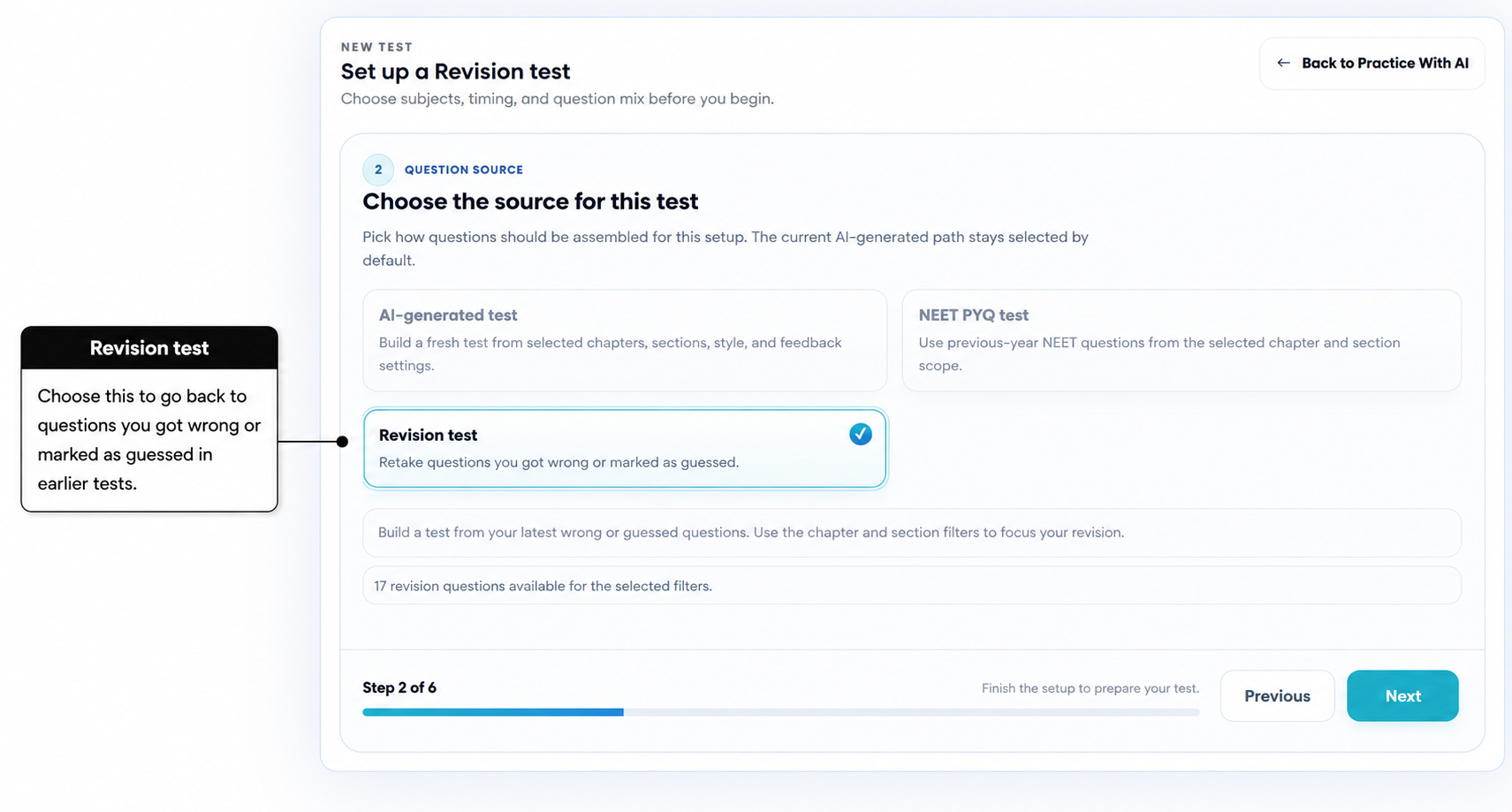
A Revision test lets you practise questions from your own earlier Practice Tests that you got wrong or were unsure about.
It is not a random set of questions. AIandMe uses your completed-test history to help you focus on what you still need to practise.
-
Start a Revision test
Open Practice With AI and select Start New Test.
Choose Create a new test, then select Revision test as the question source.
-
Choose when you want feedback
Choose how you want your answers checked.
AI-Guided checks each answer after you submit it and gives you feedback while you take the test.
Exam-based lets you work through the test without immediate feedback. AIandMe evaluates your answers after you finish.
-
Use questions from your own earlier tests
A question can come back for revision when it is from one of your completed Practice Tests and you:
- answered it incorrectly; or
- answered it correctly but marked it Guessed.
Mark Guessed when you are not sure about your answer. It does not reduce your marks. It simply helps you remember that you were unsure, even if your answer was correct.
Unanswered questions are not added to a Revision test. AIandMe looks at your latest completed work on a question. If you later answer it correctly without marking Guessed, it may stop appearing because you have shown that you are now more confident with it.
-
Choose chapters and sections
AIandMe shows only chapters and sections that currently contain revision questions for you.
Choose the chapters you want to revisit. You can then:
- keep All available sections for those chapters; or
- choose Custom sections to focus on particular sections.
The number of questions shown changes as you choose filters. This helps you focus on the parts of your earlier tests that need attention now.
-
Check your test and start
On Review, check your feedback choice, chapter and section selection, and the number of revision questions currently available.
A Revision test can include up to 50 questions that AIandMe has found for you to revise. Not every question from every earlier test will always be included.
When everything looks right, select Start Test. The test becomes ready immediately and opens as a Practice Test.
-
If you do not have questions to revise
If AIandMe shows no revision questions for your selection, widen the chapter or section filters.
You may also need to complete more Practice Tests first. A question can come back only after its completed result is ready and it meets the incorrect-or-Guessed rule above.
When the test opens, see Inside Your Practice Test. For how Revision tests fit with the other question sources, see the Practice With AI overview.