Set up a NEET PYQ test
Want to practise questions from earlier NEET exams? NEET PYQ test lets you choose an available NEET year and practise the past questions currently available in AIandMe.
You can practise across the selected year, focus on particular chapters, or narrow your practice further to specific sections within a chapter.
NEET PYQ tests are available when your plan includes the relevant NEET access.
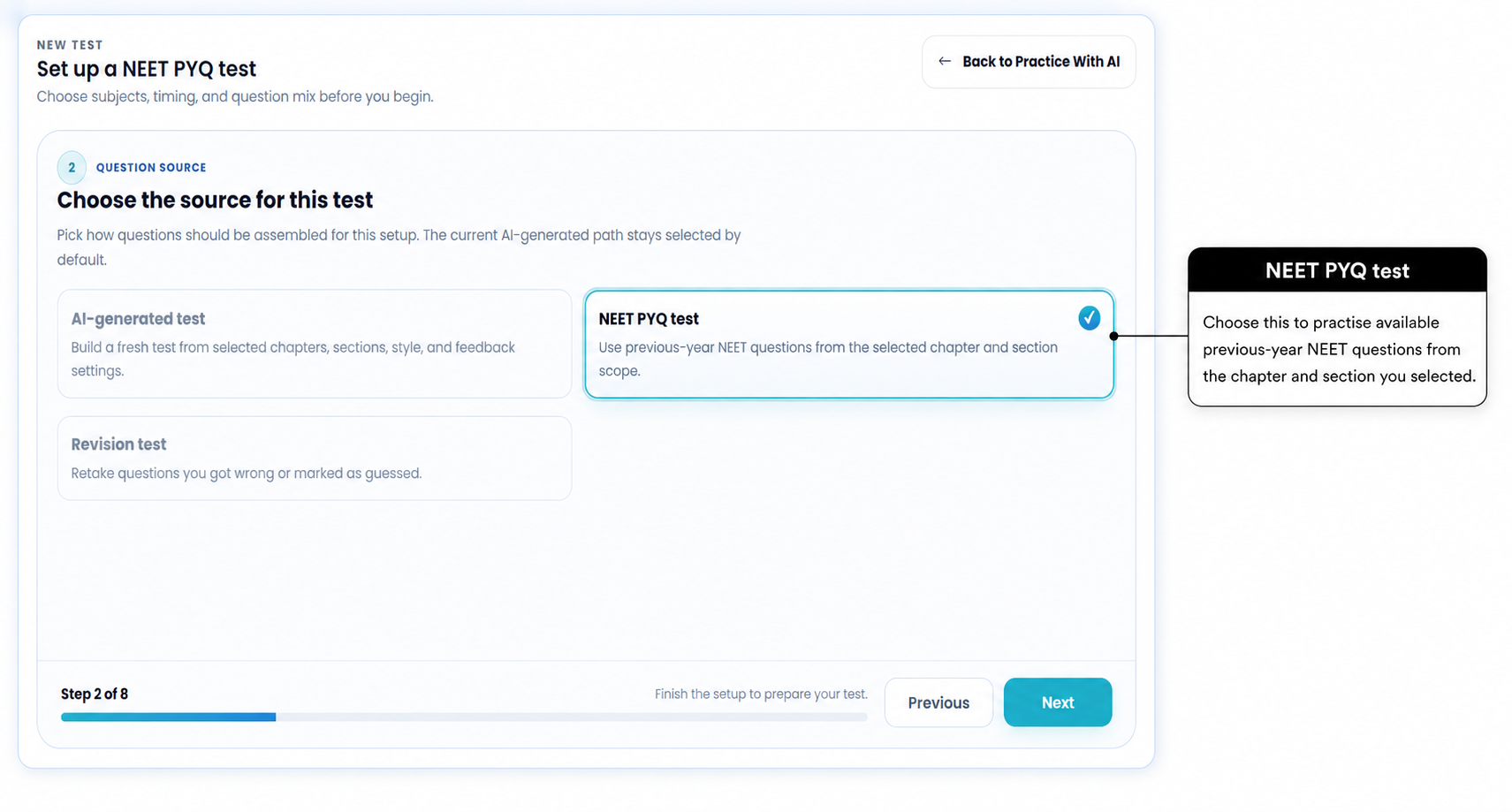
-
Start a NEET PYQ test
Open Practice With AI and select Start New Test.
Choose Create a new test, then select NEET PYQ test as the question source.
AIandMe will then take you through the choices needed for your PYQ test.
-
Choose when you want feedback
Choose when you want your answers to be checked.
AI-Guided gives you feedback as you submit answers during the test.
Exam-based lets you complete the test without immediate answer checking. AIandMe checks your answers after you select Finish Test.
Exam-based tests use an overall countdown as well as the question timer.
AI-Guided tests use the question timer but do not run an overall countdown.
-
Choose a NEET PYQ year
Select one available NEET year.
AIandMe uses the past NEET questions currently available for that year.
The number of available questions can vary by year, chapter and section.
-
Choose all available questions or customise your test
All available questions keeps all currently available PYQs from the selected year and takes you to Review without chapter or section selection.
Customize test lets you focus on particular chapters and, if you want, particular sections within those chapters.
For example, if you want to practise past NEET questions only from Structure of Atom, choose Customize test and select that chapter.
-
Choose chapters and sections for focused practice
This step appears when you choose Customize test.
First, choose the chapters you want to practise.
You can then:
- keep All available sections for those chapters; or
- choose Custom sections when you want to practise only particular sections.
This means you can narrow your NEET PYQ practice from a full year, to a chapter, and then to the specific sections you want to work on.
AIandMe checks which PYQs are currently available for the year, chapters and sections you selected.
If no questions are available, try another section, widen the chapter selection or choose another year.
-
Review your test and start
Check the Review page before you begin.
Review your:
- NEET year;
- feedback choice;
- selected chapters and sections, where applicable; and
- number of currently available questions.
Then choose the practice size that suits you.
Practice set starts with questions you have not yet used in your PYQ tests, where available.
A Practice set can contain up to 50 questions.
After you have worked through the available questions, later Practice sets may include questions again.
Full selection uses every PYQ currently available in the selection you made.
When everything looks right, select Start Test.
Example: practise PYQs from one chapter
- Select Start New Test.
- Choose NEET PYQ test.
- Choose when you want feedback.
- Select a NEET year.
- Choose Customize test.
- Select the chapter.
- Keep all available sections, or choose the exact sections you want.
- Review the available questions and select Start Test.
What happens next
Your NEET PYQ test opens as a Practice Test.
You can move between questions, Bookmark questions, mark questions Guessed, pause the test, continue later and finish the test.
After you finish, open your Practice Test Result to review your attempt.
AIandMe may not currently include every question from an official paper.
Past NEET questions are useful for understanding previous exam questions and focusing your revision. They do not predict which questions will appear in a future NEET exam.