Can I use Ask AI like a study mentor?
Ask AI can do more than explain a difficult concept.
Because you use it inside AI Study Room, it already knows the class, subject and chapter you are working on. Where relevant, it also knows the current section.
Once you have enough recent learning activity, Ask AI can use parts of your progress, quizzes and tests to help you see how your learning is going and what may need more attention.
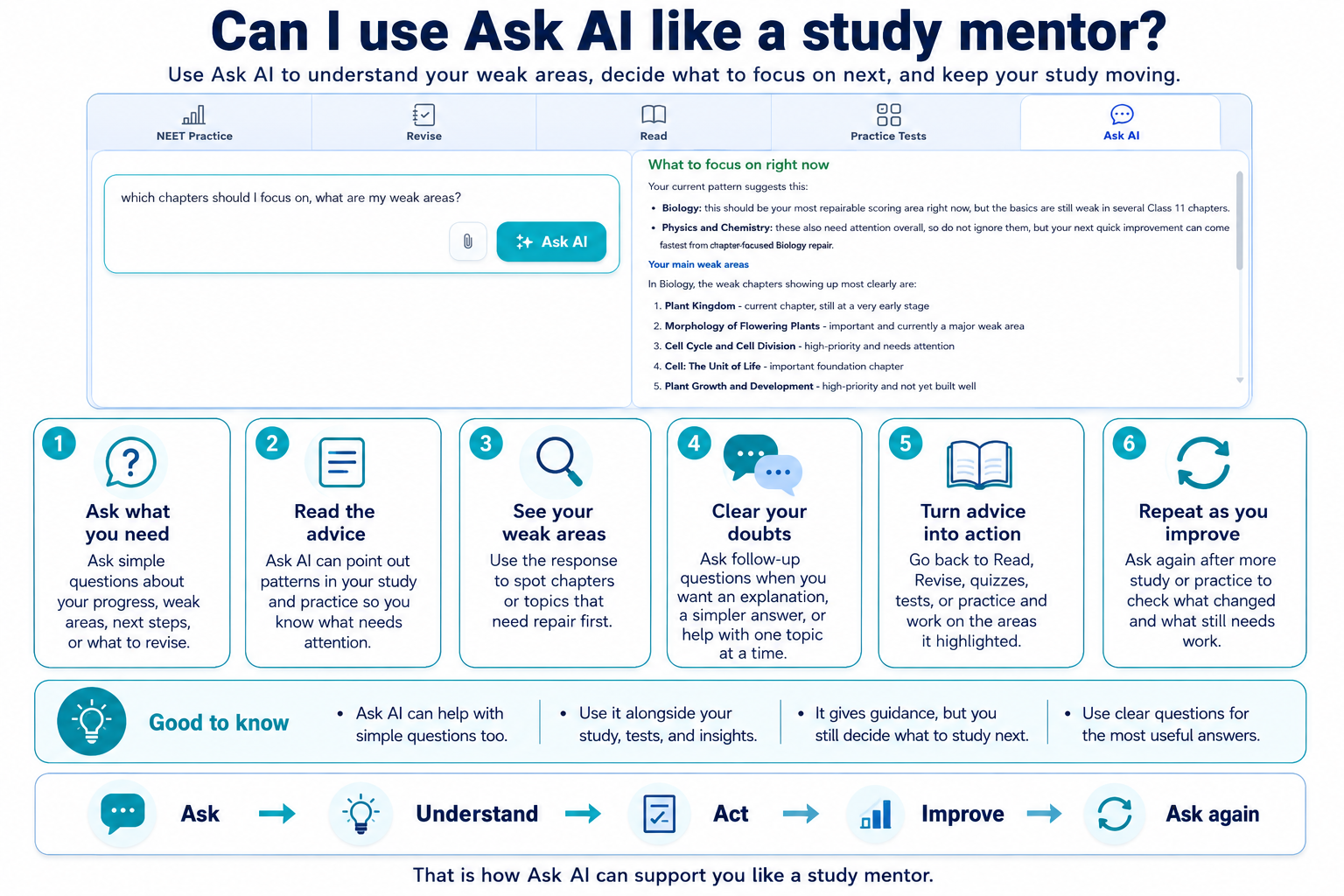
You can use Ask AI in a mentor-like way while you study, while deciding for yourself what to study and what advice to follow.
-
Start by asking about the learning in front of you
You do not need to give Ask AI your whole study history every time you have a doubt.
If you are already inside a chapter, Ask AI can use that chapter when answering.
You can ask questions such as:
- “Can you explain this idea in a different way?”
- “What is the difference between these two concepts?”
- “Why is this answer correct?”
- “Can you explain only the part I misunderstood?”
Use Ask AI to understand the idea well enough to continue, not only to get an answer.
-
Tell Ask AI exactly where you are struggling
The more specific your question is, the more useful the answer can be.
Instead of:
“Explain this chapter.”
you might ask:
“I understand the first part, but I don't understand why this step happens. Can you explain only that?”
Or:
“I keep confusing these two terms. What is the simplest way to tell them apart?”
-
Ask about how you are doing in the chapter
Once you have enough recent learning activity, Ask AI can use your chapter progress, Competency, quizzes, tests and scores to help you spot areas that may need attention.
You can ask:
- “How am I doing in this chapter?”
- “Which parts seem to need more attention?”
- “Am I improving?”
- “What should I revise before I take another test?”
- “Based on my recent work, what should I look at again?”
The answer depends on what AIandMe knows from your recent work.
If you have only just started a chapter or have not completed relevant quizzes or tests, Ask AI has less to work with. Use Learning Insights when you want to review the wider AI Study Room picture yourself.
-
Use Ask AI to think about what to revise next
Ask AI can help you make sense of your recent work in the current chapter.
For example, you might have:
- an unfinished Study Plan;
- weaker quiz or Chapter-level Test results;
- a section you keep misunderstanding;
- or recent practice that suggests you should revisit part of the chapter.
Instead of asking only:
“What should I study?”
try giving Ask AI a more useful goal:
- “What should I revise before I take another Chapter-level Test?”
- “Which part of this chapter seems to need the most attention from my recent work?”
- “I have 30 minutes to revise this chapter. Based on what is available, where should I focus?”
- “My progress is good, but my assessment results are weaker. What should I revisit?”
Ask AI can help you think through what your recent work is showing.
It does not make the decision for you.
-
Ask about NEET patterns in the chapter
When past NEET question patterns are available for a supported Physics, Chemistry or Biology chapter, Ask AI can use them too.
You can ask questions such as:
- “Which sections have more mapped NEET PYQs?”
- “Which sections have appeared more consistently across the available years?”
- “Where might I spend more revision time based on past NEET questions?”
- “Which section has the most mapped PYQs in this chapter?”
This can be useful when deciding where to spend extra NEET revision time.
But past-question frequency is not a prediction.
These past-question patterns are not official NTA ratings and do not mean you should ignore the rest of the syllabus. NEET Question Insights explains them in more detail.
-
Use your Study Plan as part of the conversation
Your Study Plan already breaks the chapter into learning days and topics.
You can select a Study Plan topic to prepare it in Ask AI and then change or expand the question before sending it.
This can be useful when you want to ask:
- for a simpler explanation of today's topic;
- what you should understand before moving forward;
- how two Study Plan topics connect;
- or what part of the topic you should revise before the Daily Quiz.
Sending a linked Study Plan question can move that learning day to WIP, but Ask AI does not mark the day Done.
The relevant Daily Quiz is what checks the learning and can complete that Study Plan day.
-
Use follow-up questions instead of starting over
If an explanation helps but one part is still unclear, ask a follow-up question.
For example:
“That part makes sense. But why does the next step happen?”
or:
“Can you give me another way to think about it?”
Ask AI can use the recent conversation when you ask follow-ups.
Ask AI History also lets you reopen earlier successful questions and answers saved for the current chapter.
This helps you continue a line of thought instead of starting from the beginning.
-
Ask AI is not a complete picture of your entire preparation
Ask AI works in the context of the chapter you are studying.
It does not automatically know everything happening outside AIandMe, such as:
- your school timetable;
- your coaching schedule;
- an exam you have tomorrow;
- how tired you are;
- how much time you have this week;
- or other priorities you have chosen.
Treat its guidance alongside your own plans and circumstances.
-
Ask AI and Mentor AI are different
AIandMe also has Mentor AI NEET Insight inside NEET Stats when that feature is included in your plan.
Mentor AI can bring together wider recent learning, testing and chapter activity into a mentor-style review with strengths, risks and suggested next actions.
That is different from Ask AI.
Ask AI is a conversation inside the chapter you are studying.
Mentor AI NEET Insight is a broader NEET review available through NEET Stats.
-
Build a useful mentor-like conversation
A simple way to use Ask AI is:
Understand the concept → Ask about the part you don't understand → Ask how your recent work is going → Ask what may deserve another look → Revise or practise → Come back with a more specific follow-up
Use Ask AI to question, understand, reflect and decide what you want to do next, not simply to get answers.
Good to know
Ask AI uses AI Credits and may not be available during an active AI Study Room quiz, test or answer check. Ask AI does not change your Competency by itself.