How do I clarify my doubts?
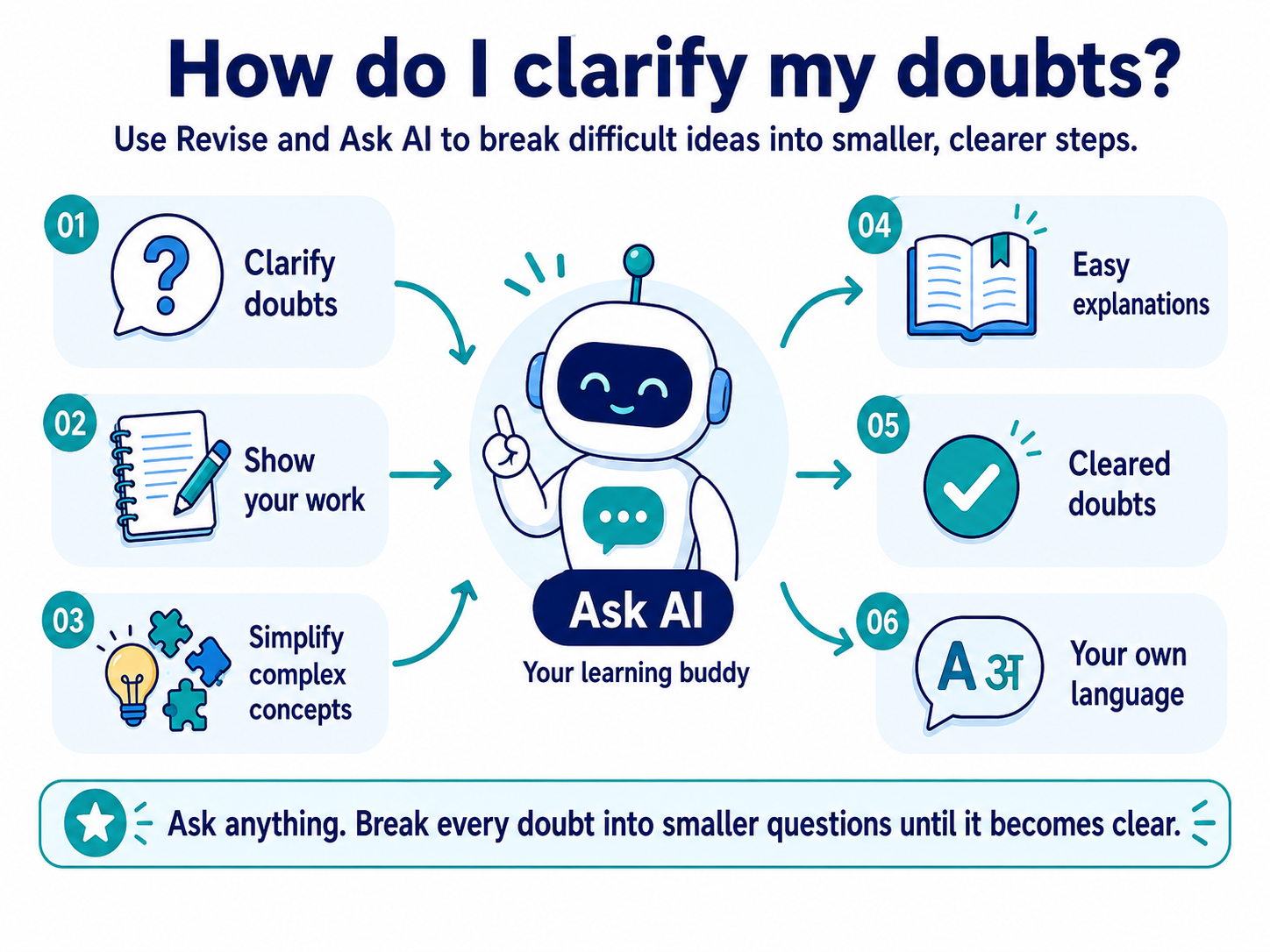
Not understanding something the first time is normal. Do not skip an idea just because it feels difficult. Use Revise to find what is confusing you, then use Ask AI to keep working on the doubt until the idea becomes clearer. Ask AI works inside AI Study Room, so it can use the current learning context and, where available, your progress and mapped NEET information.
There is no need to feel embarrassed about asking a basic question. No question is too basic when you are trying to understand. Ask AI is a machine and does not judge you, so you can ask about something you think you should already know, ask for another explanation or ask about the same idea again.
-
Go back to the part you do not understand
Open the section or part you are studying and start with Revise. Use the Overview, Key Points and Key Concepts to narrow down exactly which idea is unclear.
Instead of thinking, "I don't understand this chapter," try to identify the smaller doubt: "I understand this part, but I don't understand why this happens."
Making the doubt smaller and clearer makes it easier to work on.
-
Try another way of learning it
Where available, use videos, images or other learning media to see the idea in another way. You can also return to Key Concepts or answer a Try It activity in your own words.
Not every section has media, and Try It is not automatically scored. The purpose is to approach the same idea differently. If you cannot explain one part in your own words, that is often the part you should ask about.
-
Ask even the most basic question
No question is too basic when you are trying to understand. Ask AI does not judge you, so you can start from the beginning even if you think everyone else already knows it.
Try questions such as:
- "What does this word mean?"
- "I don't understand this at all. Can you start from the beginning?"
- "What is the first thing I need to understand here?"
- "Why do we need to learn this?"
- "Explain this as if I am learning it for the first time."
Ask instead of pretending you understand or skipping the idea. Treat an AI answer as learning help, not as a guarantee that every answer is correct.
-
Ask what your progress is telling you
Sometimes you know you are struggling but do not know exactly where the problem is. When enough learning information is available, Ask AI can use your progress and assessment information in AIandMe to help you decide what to work on next.
Try questions such as:
- "How am I doing in this chapter?"
- "What should I work on most in this chapter?"
- "Based on my recent quizzes and tests, what should I revise first?"
- "I keep struggling in this chapter. What should I work on next?"
- "Am I ready to take another chapter test?"
Ask AI can interpret the progress information available based on your recent work in AIandMe. It cannot promise a perfect diagnosis, especially when you have little recent learning or assessment activity.
-
Ask where to focus for NEET
When mapped historical NEET information is available for the chapter, Ask AI can use those statistics together with the chapter you are studying and your learning information where relevant.
This means you can ask for guidance without first comparing every chapter section, progress detail and past-question count yourself. Try questions such as:
- "Which sections of this chapter have had the most mapped NEET PYQs?"
- "Which sections appear most consistently across the available years?"
- "I have one hour. Which parts should I revise first based on past NEET questions?"
- "How many mapped PYQs came from this chapter in each available year?"
- "Based on my progress and the past-question pattern for this chapter, what should I revise next?"
Ask AI can combine your available chapter progress with historical section patterns to suggest revision priorities. This is not a section-by-section diagnosis of your performance.
AIandMe's mapped historical NEET PYQ statistics are available through Ask AI, but they are different from exact past questions. You can ask about these statistics even if your plan does not include NEET PYQ access. This information does not include the exact question text, and Ask AI must not invent a past question it has not been given. To practise the actual available questions, your plan must include NEET PYQ access. Use Practice With AI → NEET PYQ test to practise them. See Set up a NEET PYQ test.
Past-question patterns are not official NTA ratings and do not predict a future NEET exam. Keep the full syllabus in your plan.
-
Ask in a language that helps you understand
If English makes a concept harder to understand, ask Ask AI to explain it in a language you are more comfortable with. For example:
- "Explain this in Tamil."
- "Explain this in Hindi using simple words."
- "Explain this in Tamil, but keep the scientific terms in English."
- "First explain this simply in Tamil, then give me the English terms I should remember."
Understand the idea first. Then connect it back to the English or scientific terms used in school when needed. Language support can vary, so do not rely on every language or every translation being available or perfect.
-
Ask again if the first explanation does not help
Ask AI is conversational. The first answer does not have to be the last answer. Ask a follow-up such as:
- "Make it simpler."
- "Give me another example."
- "I still don't understand the second step."
- "Compare this with something I already know."
- "Explain only this part."
- "Why is my understanding wrong?"
Ask AI receives recent conversation context, so a follow-up can build on the exchange. Continue asking focused questions until the idea feels clearer, while remembering that an AI answer can still be incomplete or incorrect.
-
Show Ask AI what you are working on
Use the paperclip control called Attach question image to add a clear JPG, PNG or WebP image. You can take a clear phone photo and attach:
- handwritten working or rough calculations;
- a printed question from another textbook or a notebook problem;
- a worked solution;
- notes, a diagram, a graph or a table; or
- a screenshot of a learning question.
Ask AI can use the learning context already open in AI Study Room while helping with the image. If the question is related to the subject you are studying, Ask AI can help you work through it and connect it to the learning context where useful. An outside textbook question is not guaranteed to match the current curriculum.
Try questions such as:
- "This is my working. Where did I make the mistake?"
- "Please solve this and explain every step."
- "I got this answer, but the book gives a different answer. What did I do wrong?"
- "Explain this diagram."
- "How is this question related to the chapter I am studying?"
Image help can have a daily usage limit. If image help is unavailable, you can still type your question.
-
Learn from the answer, don't just copy it
If Ask AI solves a problem, use the explanation to understand the steps. If you made a mistake, ask why that step was wrong. Then try the question again independently.
The useful part is not only getting the answer. It is understanding how to reach the answer yourself.
You can type:
- "Why is this step wrong?"
- "Show me only the next step."
- "Give me a similar problem to try."
- "Don't give me the final answer yet. Help me work it out."
-
Go back and check the idea again
After the doubt is clearer, return to Revise or Read. Look at the concept again, explain it in your own words and try the problem again. Later, use the relevant Daily Quiz described in Practice Tests to check your understanding.
Find the doubt → Review → Ask → Ask again → Try it yourself → Check again
Do not carry a doubt forward just because you were afraid to ask. Break it into a smaller question and keep working on it until the idea makes sense.