Explain With AI
Explain with AI helps you understand why an answer is right, where your answer went wrong, and the idea behind the question.
It knows the question and the answer you selected, so the explanation can focus on what happened in that question.
-
Use Explain with AI after an answer is checked
Explain with AI appears only after AIandMe has finished checking your answer and you can no longer change it.
In an AI-Guided test, this can be after you submit an answer and receive immediate feedback.
In an Exam-based test, use it from the completed result after the test has finished grading. It is not available while an answer is waiting to be checked or if checking failed.
-
Open your explanation
Select Explain with AI beside the checked answer.
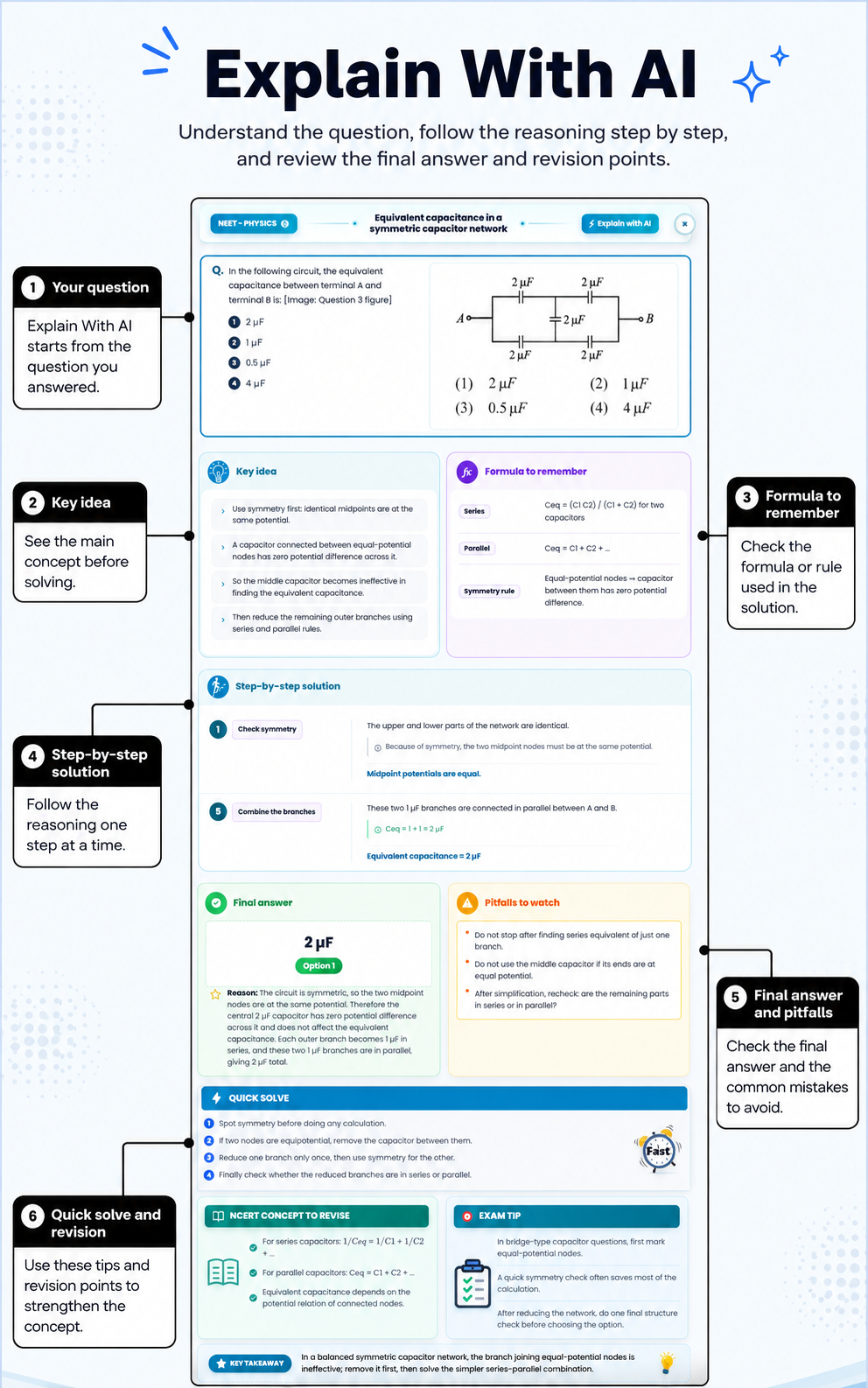
AIandMe creates an AI explanation for that question. Depending on the question, it can include the key idea, a useful formula, clear steps, the final answer and common mistakes to avoid.
-
See how it uses your answer
The explanation can use:
- the current question and answer choices;
- the answer you selected;
- the correct answer and the feedback from checking your answer;
- the marks you received;
- the subject, chapter and section connected to the question; and
- media included with the question, when available.
Because AIandMe knows the question and the answer you chose, it can explain the result in a way that relates to your answer. It focuses on this question and does not look at your full learning progress here.
-
Learn from the explanation
Compare the selected answer with the correct answer and follow the reasoning one step at a time.
Pay particular attention to the key idea and common pitfalls. They can help you see whether the issue was a missed concept, a calculation step or a tempting incorrect option.
This explanation page does not have follow-up chat. Follow-up questions and a conversation history are not available here.
-
Open a saved explanation again
When an explanation has already been created and saved for the question, the action changes to Show explanation.
Select it to reopen the saved explanation without generating a new one.
-
Check AI Credits and availability
Creating a new explanation uses AI Credits. AIandMe shows a message if you do not have enough credits or it cannot create the explanation right now.
If AIandMe cannot create the explanation, your checked answer and result remain available. You can try Explain with AI again later.
AI explanations are learning help and can be incomplete or incorrect. Check important reasoning against your learning material, especially when an answer does not look right.
For the controls used before an answer is checked, see Inside Your Practice Test. To reopen questions from a completed test, see Practice Test Result.