Set up an AI-generated test
Use an AI-generated test when you want fresh practice questions based on the chapters and sections you choose.
You can decide the question style, when you want feedback, the difficulty and the number of questions.
You can focus on one chapter or narrow the test to particular sections before AIandMe creates the questions.
-
Start an AI-generated test
Open Practice With AI and select Start New Test.
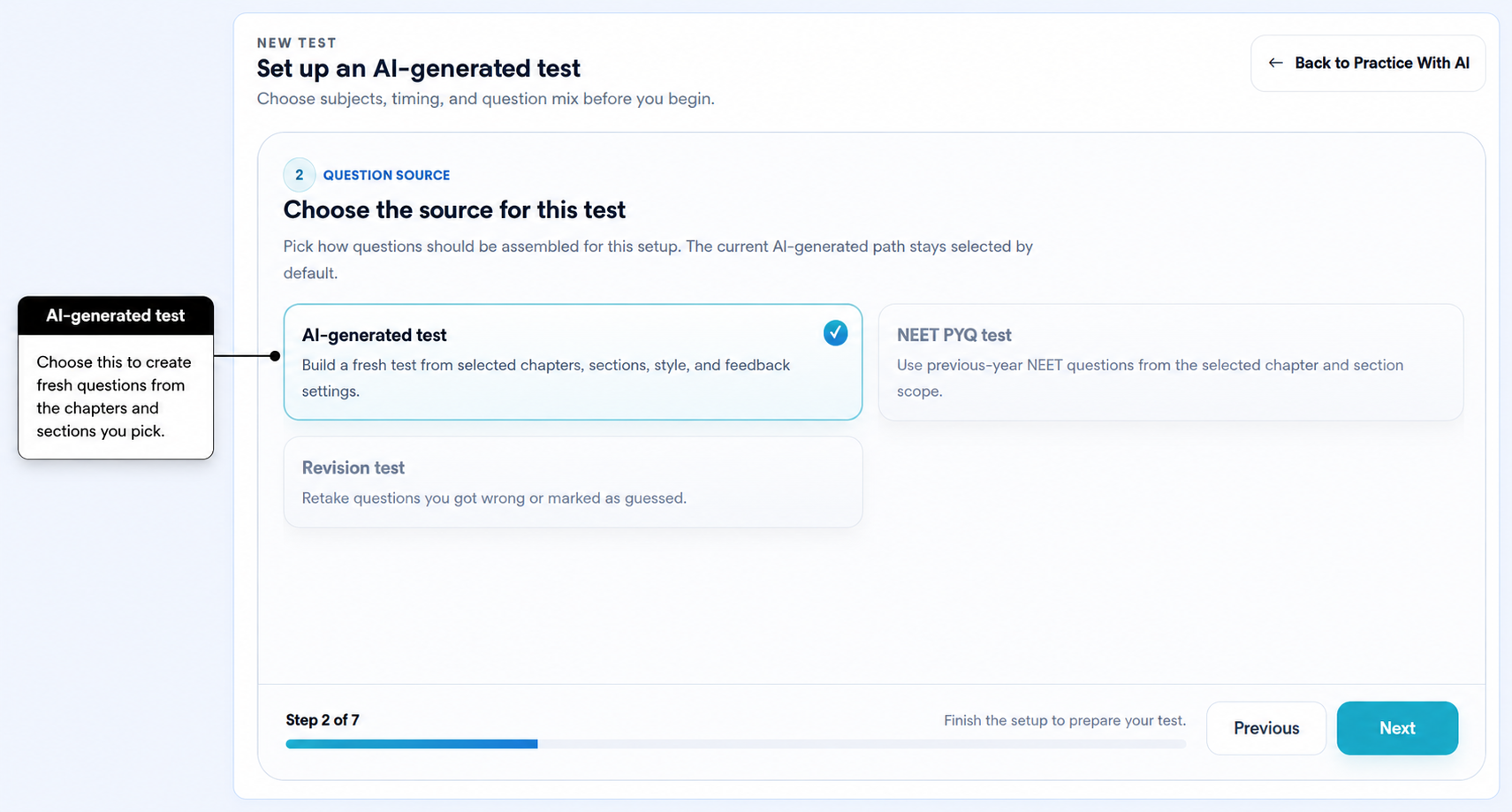
Choose Create a new test, then select AI-generated test as the question source.
-
Choose the question style and when you want feedback
First, choose the style of questions you want.
Learning-based is useful when you want questions designed more around learning and understanding.
NEET-based is intended for questions shaped more like NEET-style practice. This style is still being improved.
NEET-based questions are fresh questions. They are not actual past NEET questions. To practise available past questions, see Set up a NEET PYQ test.
Then choose when you want feedback.
AI-Guided checks each answer as you submit it and gives you feedback while the test is in progress. It uses the question timer but does not run an overall exam countdown.
Exam-based lets you work through the test without immediate answer checking. AIandMe evaluates your answers after you select Finish Test. It uses an overall countdown as well as the question timer.
-
Choose chapters and sections
First, choose the chapters you want included.
Only chapters from your enrolled classes and subjects appear. A chapter marked Coming soon cannot be selected yet.
You can then:
- keep All available sections for the chapters you selected; or
- choose Custom sections to include only particular sections.
Sections marked Coming soon cannot be selected yet.
For example, if you want fresh questions only from Structure of Atom and only from the section you are revising today, choose that chapter and then choose the relevant section.
This lets you create a broad chapter test or focus your practice on the exact sections you want to work on.
-
Choose the difficulty
Choose one of these difficulty options:
- AI Adaptive uses AIandMe's current estimate of your learning level in the selected chapters to choose an appropriate difficulty. It can give you more suitable practice in chapters where you need more help.
- Easy gives you lighter practice.
- Medium gives you balanced practice.
- Hard gives you more challenging questions.
-
Choose the number of questions
AIandMe shows question-count choices that fit the chapters and sections you selected.
A wider selection can support a larger test. A very small selection may give you fewer question-count choices.
If you change your chapters or sections, the available question counts can also change.
-
Review and create your test
Check the Review page before you create the test.
Review your:
- question source;
- class and subject;
- question style;
- feedback choice;
- difficulty;
- number of questions;
- selected chapters and sections; and
- marks and time information for an Exam-based test.
The Review page also shows Estimated AI credit use.
Check this estimate before you create the test. The final AI Credits used can depend on the AI work completed for your test.
When everything looks right, select Finish Setup.
What happens next
AI-generated questions need to be prepared before you can take the test.
After setup completes, your test can appear under Preparing. AIandMe can notify you when it is ready.
When preparation finishes successfully, the test appears under Ready and you can start it from Practice With AI.
If preparation cannot finish, the test may appear under Failed. Set up again may be available.
Example: create fresh questions for one chapter
- Select Start New Test.
- Choose AI-generated test.
- Choose your question style and feedback type.
- Select the chapter you want to practise.
- Keep all available sections, or choose the exact sections you want.
- Choose the difficulty.
- Choose an available question count.
- Review the AI Credit estimate and select Finish Setup.