Subject Home
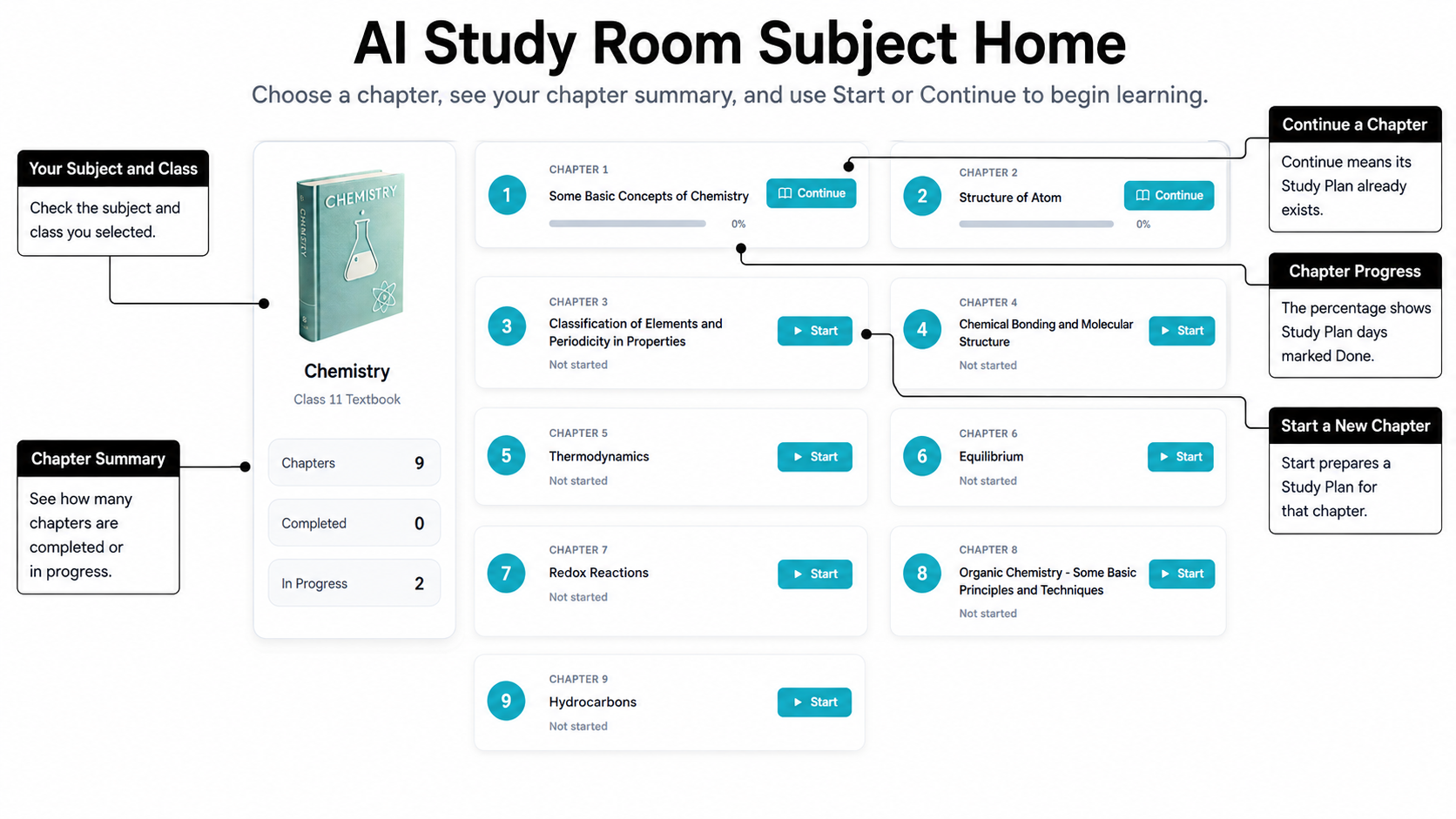
Your Subject Home lists the chapters for the class and subject you selected. It is the starting point for opening a chapter in AI Study Room.
-
Choose a chapter
Check the class and subject shown at the top of the page. The chapters are listed in their learning order.
The summary at the top also shows the total number of chapters, how many are Completed and how many are In Progress. These counts help you see the subject at a glance. They do not change which chapter you can choose.
Each chapter has an action:
- Start prepares the chapter for learning.
- Continue reopens a chapter that already has a Study Plan.
-
Understand Start and Continue
Select Start when the chapter does not yet have a Study Plan. AIandMe prepares the plan and opens the Chapter Workspace.
Select Continue when the Study Plan already exists. Continue reopens the chapter. You may need to choose the section or part you were studying again.
You can use the chapter title to identify the chapter before opening it. The action changes from Start to Continue after its Study Plan has been prepared.
-
Understand chapter progress
Chapter progress is the percentage of Study Plan days marked Done.
The percentage does not directly increase when you:
- open or select a section;
- use Revise or Read; or
- spend time in the Chapter Workspace.
A Study Plan day becomes Done through its Daily Quiz. Learn more in Study Plan.
A chapter that has not started shows Not started instead of a filled progress bar. Once its Study Plan exists, the percentage can be shown even when no day is Done yet.
-
Understand Completed and In Progress
Completed means the chapter has reached 100% progress. All its Study Plan days are Done.
In Progress means the chapter has started but is not complete. A newly prepared Study Plan counts as started, so a chapter can show Continue and still be at 0%.
Return to the AI Study Room overview.